Built for kosher kitchens. Made for every diet.
Every recipe your family loves. Made to fit your table.
Save recipes from Instagram, TikTok, any website or a cookbook page. Recipes for … labels each one meat, dairy or pareve, tags it vegan, gluten-free and more, warns you about allergens, and adapts any recipe to the way your family eats.
Prefer a computer? Use it in your browser.
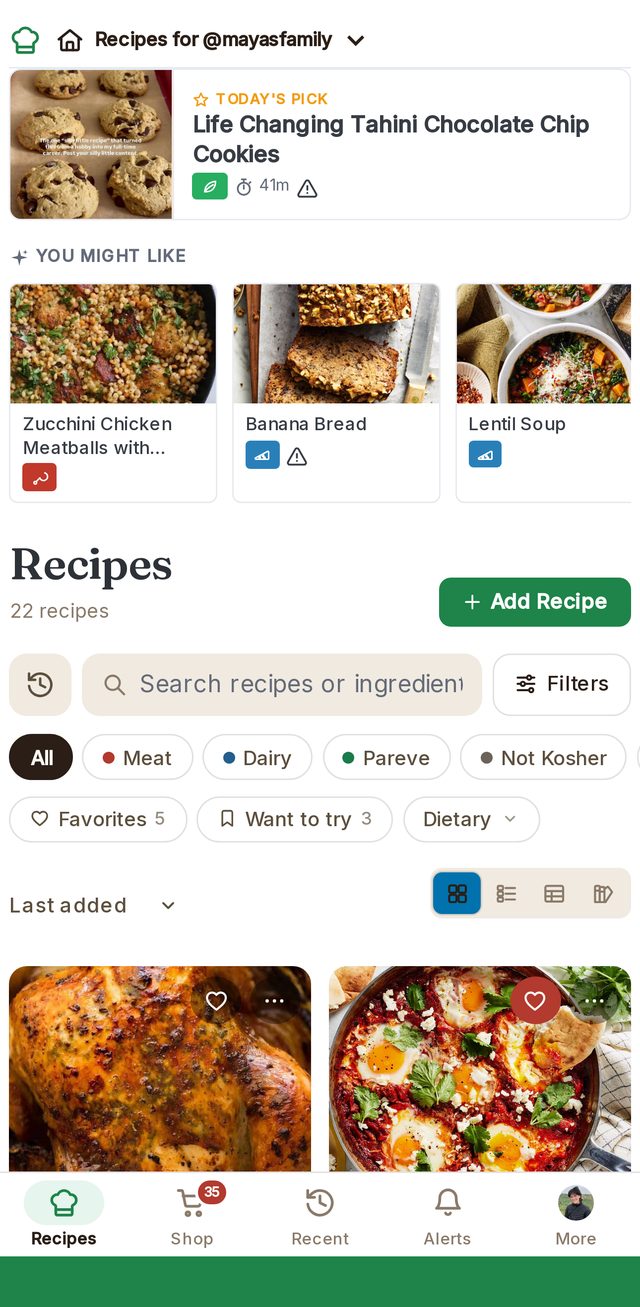
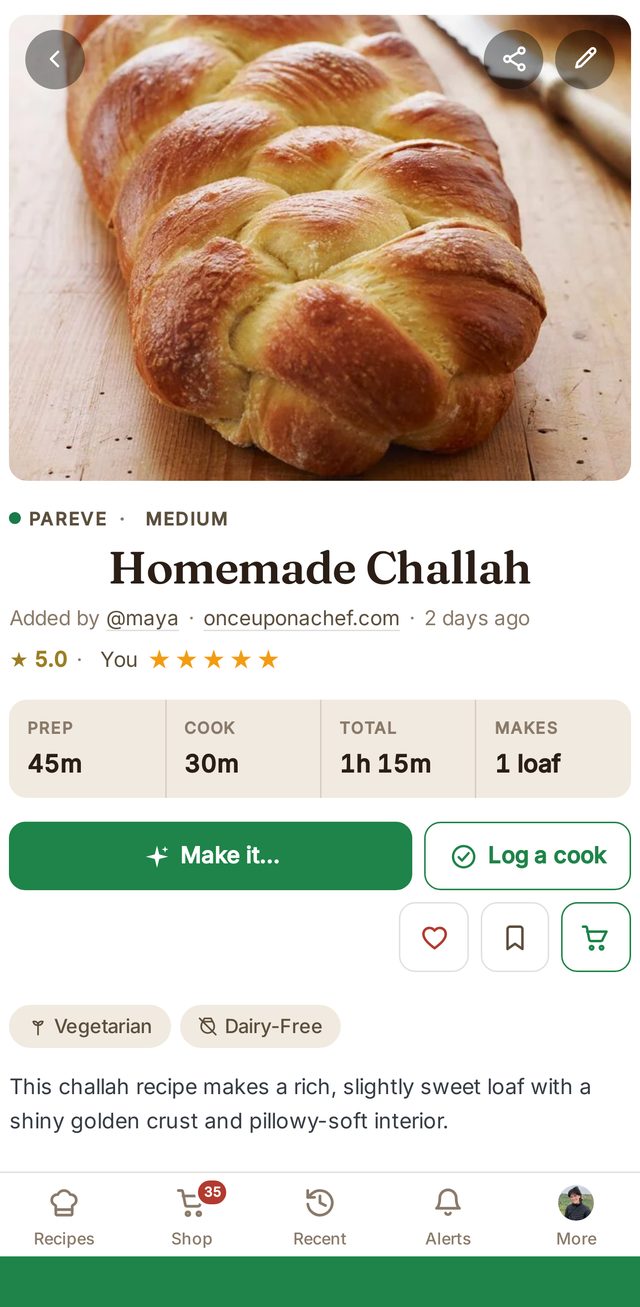
See it in action
Any recipe, made to fit your table, in a few taps
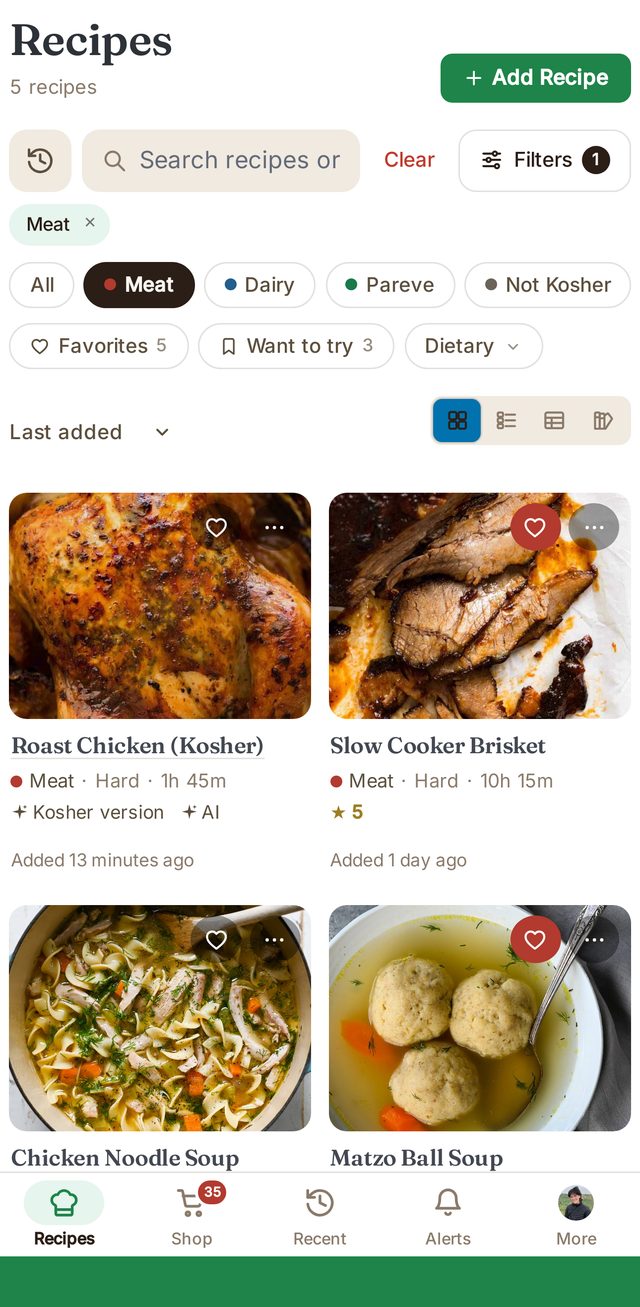
- Filter your recipes. Tap Meat, Dairy or Pareve, or pick a diet, to see what you can make.
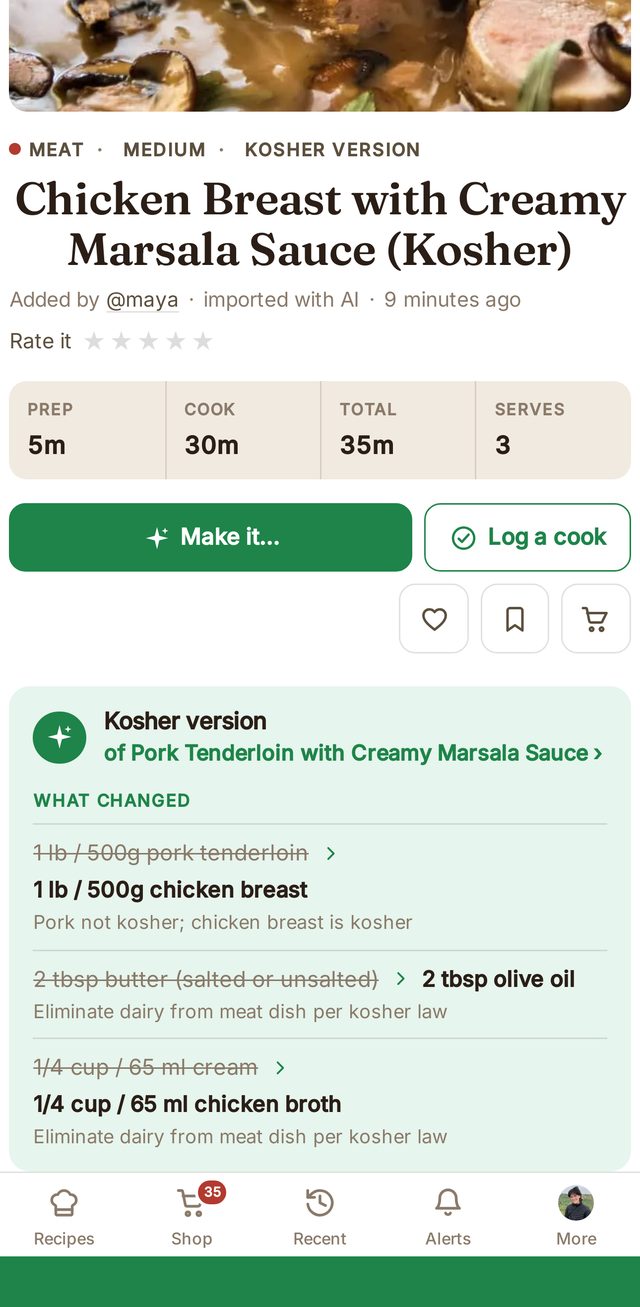
- Tap "Make it…". Choose kosher, dairy-free, vegan, gluten-free and more. Here, kosher.
- See every swap. Pork becomes chicken, butter becomes olive oil, cream becomes broth.
- Shop together. Check items off the family list as they go in the cart.
Kosher at a glance
Every recipe sorted before you start cooking
Recipes for … reads each recipe's ingredients and labels it automatically. Filter your whole collection to what you can make tonight in one tap.
Make it fit
Found a recipe that doesn't fit? Make it fit.
One tap creates a new version next to the original, kosher, dairy-free, vegan, gluten-free and more, and shows exactly what was swapped and why. Here's a pork dish made kosher.
What changed
1 lb pork tenderloin→ 1 lb chicken breastPork isn't kosher2 tbsp butter→ 2 tbsp olive oilNo dairy in a meat dish1/4 cup cream→ 1/4 cup chicken brothNo dairy in a meat dish
When a recipe is one swap away, like chicken roasted in butter, the app names the ingredient to change.
Make it your way
Any recipe, adapted to how you eat and how you cook
Tap "Make it…" on a recipe and pick a version. You get a new recipe next to the original, with every change listed. Turn on the options you want in Settings.
For your diet
- KosherReplaces pork and shellfish and separates meat from dairy.
- Dairy-freeSwaps butter, cream and cheese for ingredients that suit the dish.
- VeganReplaces meat, fish, eggs and dairy.
- VegetarianSwaps out meat and fish and keeps the rest.
- Gluten-freeSwaps flour, pasta, bread crumbs and soy sauce.
- Pregnancy-safeAdjusts ingredients and cooking that aren't recommended during pregnancy.
For your kitchen
- Slow cookerRewrites the steps and timing for a Crock-Pot.
- Instant PotPressure-cooker steps, times and liquid amounts.
- Air fryerTemperatures and times for the air fryer basket.
- Oven or sheet panOne-pan oven version with its own timing.
- StovetopTurns an oven recipe into a pot or skillet one.
- GrillGrill heat, times and prep for dishes that suit it.
- WokA stir-fry version, for dishes that work that way.
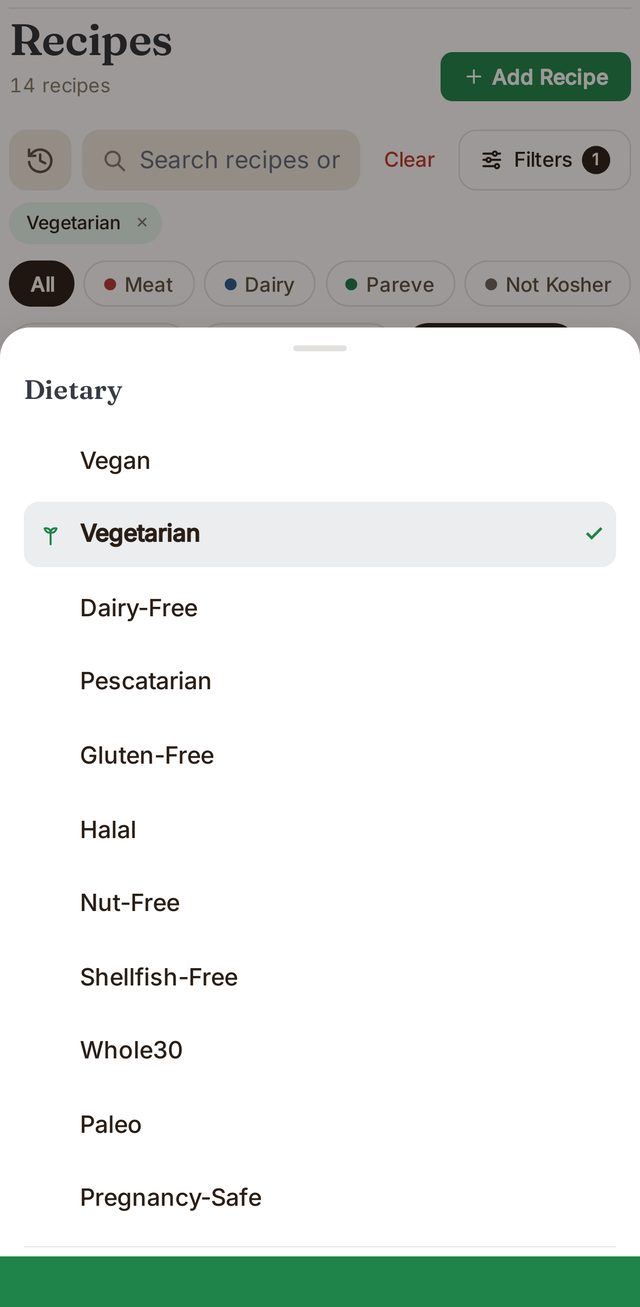
Dietary filters
Filter by how you eat
Recipes are tagged by diet from their ingredients. Pick one or more and your collection narrows to what fits, or set them in Settings so they always apply.
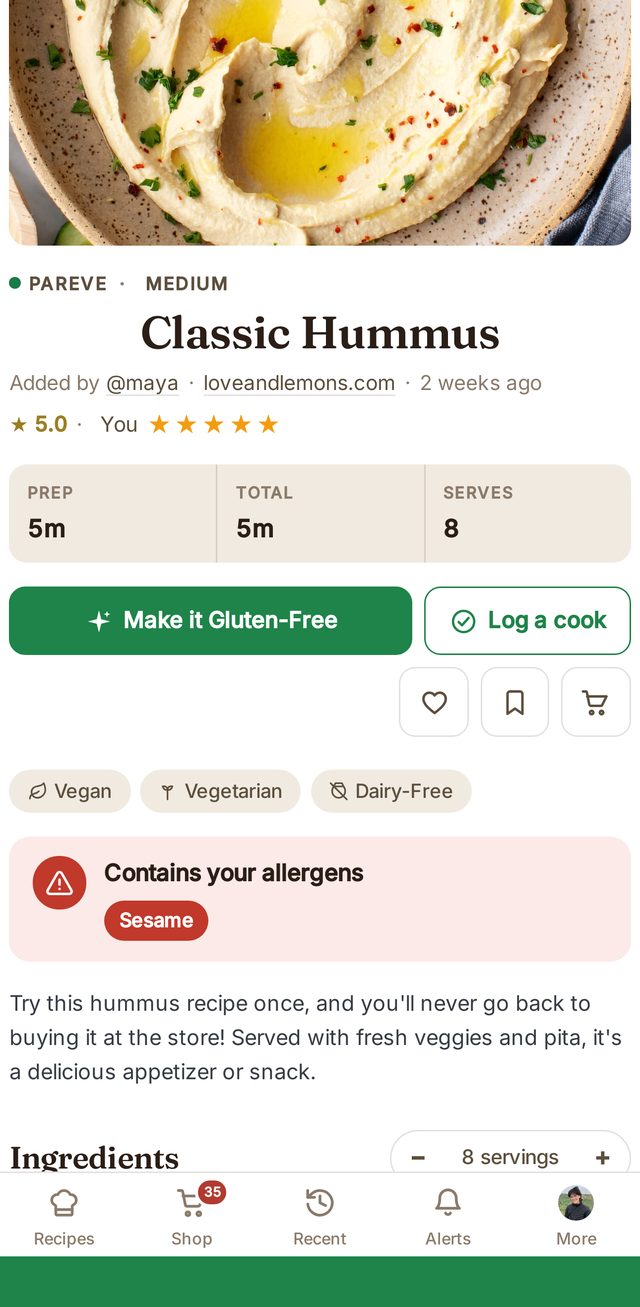
Allergen alerts
Set your allergies once. Every recipe checks.
Pick the allergies in your household. Any recipe that contains one gets a clear warning at the top, with the allergen named, so nobody has to read every ingredient twice.
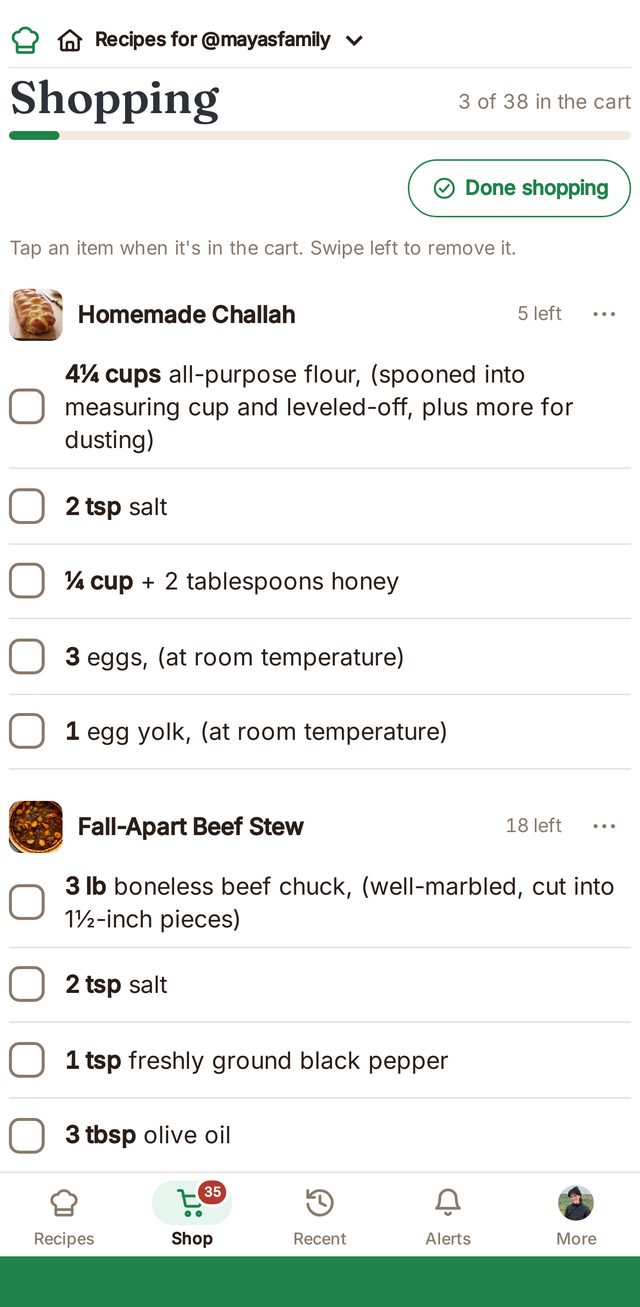
Built for families
One collection, everyone's opinion
Share your recipes with your household. Everyone rates, favorites and leaves notes, so you know which version of brisket actually won. Add a recipe to the shared shopping list and check things off as they go in the cart.
Maya “Double the garlic next time.”
★★★★★David “Kids finished it.”
★★★★☆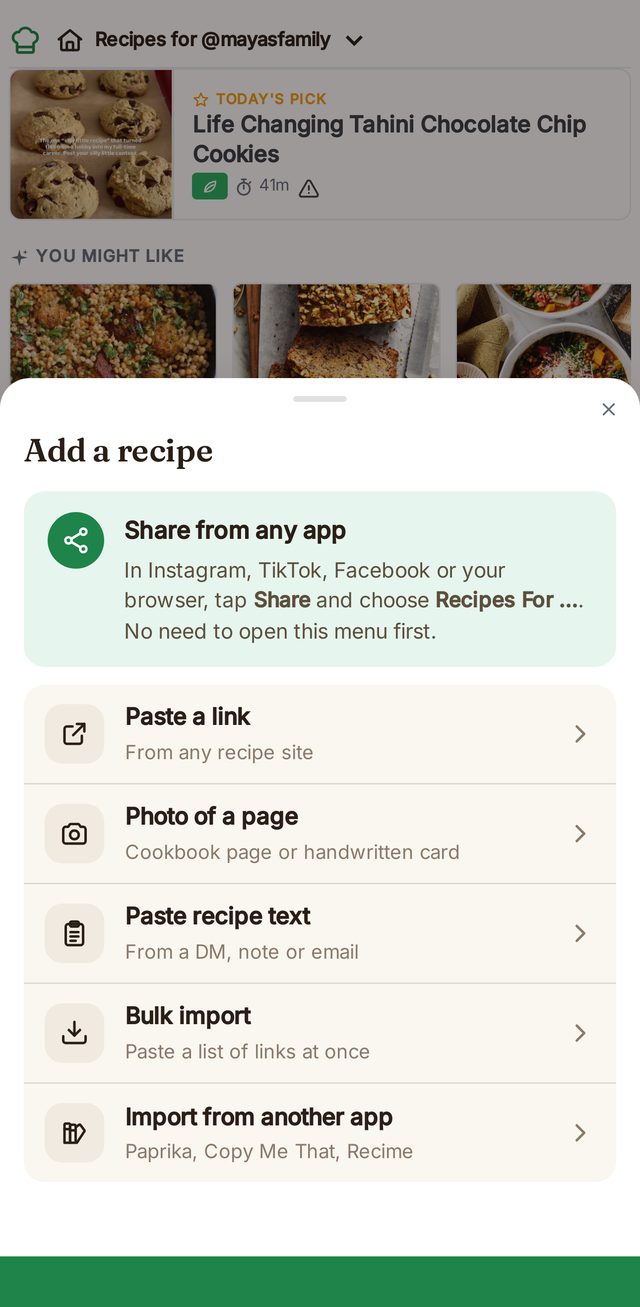
Add from anywhere
Share it from any app. It lands as a clean recipe.
In Instagram, TikTok, Facebook or your browser, tap Share and choose Recipes for …. You can also paste a link, paste text from a message, or snap a photo of a cookbook page or a handwritten card.
And the everyday things
Everything else you'd expect, done carefully
Just the recipe
Times, servings and ratings up front. No life story, no pop-ups.
Scale any recipe
Change the servings and every amount adjusts, fractions included.
Cook mode
Big steps, built-in timers, and the screen stays on while you cook.
Search by ingredient
Find everything that uses chicken thighs, or every pareve dessert.
Bring your collection
Bulk-import a list of links, or move over from Paprika, Copy Me That or Recime.
Your privacy, your call
Share with your household, your wider family, or everyone. Nothing is public unless you choose.
Getting started
Up and running in a few minutes
Get the app
On iPhone, Android, or in your browser.
Save a recipe
Share one from any app or paste a link. It's labeled automatically.
Invite your family
Send a link so everyone shares one collection and one shopping list.
Questions
Is the kosher label a certification?
No. Recipes for … labels recipes from their ingredients, so you can see at a glance whether a dish is meat, dairy or pareve. It doesn't replace checking the hechsher on the products you buy, or your own rabbi's guidance.
I don't keep kosher. Is Recipes for … for me?
Yes. Kosher labels are one part of it. You can filter by diet (vegan, vegetarian, gluten-free, dairy-free and more), get warnings for your family's allergies, make a dairy-free, vegan or gluten-free version of any recipe, or adapt it for the slow cooker, Instant Pot or air fryer.
How does Make it Kosher decide what to change?
It replaces ingredients that aren't kosher and separates meat from dairy, then checks the result again before saving it. Every change is listed on the new version, and your original recipe stays as it was.
Can my whole family use one collection?
Yes. Invite your household and everyone shares the recipes and the shopping list, with their own ratings, notes and favorites.
Which devices does it work on?
iPhone, Android, and any web browser. Your recipes are the same everywhere.
Can I bring my recipes from another app?
Yes, from Paprika, Copy Me That and Recime, or paste a list of links to import them all at once.
Your family's recipes, in one place.
Free to download on iPhone and Android.